Automatic scan
A recursive scan of every folder Android lets apps read, on every storage volume. Results show up as they come in, and the list is cached so the app opens instantly next time.
Free utility for Android
Easy APK Installer searches your entire device, internal storage and SD card included, lists every .apk file it finds, shows you which ones are already installed and installs them in a single tap.
How it works
No more digging through folders to find that APK you downloaded last week. Three steps, and the app is on your home screen.
Grant storage access once. Easy APK Installer walks through your internal storage and SD card and lists APK files as it finds them, wherever you saved them.
Each file is compared with what is installed on your device, so you know before you tap: installed, not installed, an update, or an older version than the one you already have.
Tap the file and choose Install, Update or Reinstall. Android’s own installer takes over and asks for your confirmation: nothing is ever installed behind your back.
Features
Built around one idea: you should never have to remember where a file is to install it. Everything else follows.
A recursive scan of every folder Android lets apps read, on every storage volume. Results show up as they come in, and the list is cached so the app opens instantly next time.
Versions are compared with the installed app. See at a glance whether a file is new, an update or older than what you already have, and filter the list accordingly.
Install, update or reinstall. Open, share, back up the installed app, read the details, copy the path. Then uninstall the app or delete the file when you are done.
Browse every installed app with its version, size and last update. Show system apps, share or back up an app’s APK, uninstall it or jump to its Android info page.
Move through your storage volumes with breadcrumbs. Create folders, rename, delete, show hidden files and open any file with the right app.
Find an APK by name. Sort by name, size, date or status. Filter with a tap: all, installed, not installed, updates. Show the app name or the file name, as you prefer.
Screenshots
Tap a screenshot to enlarge it.
Opens the screenshot in a larger view.
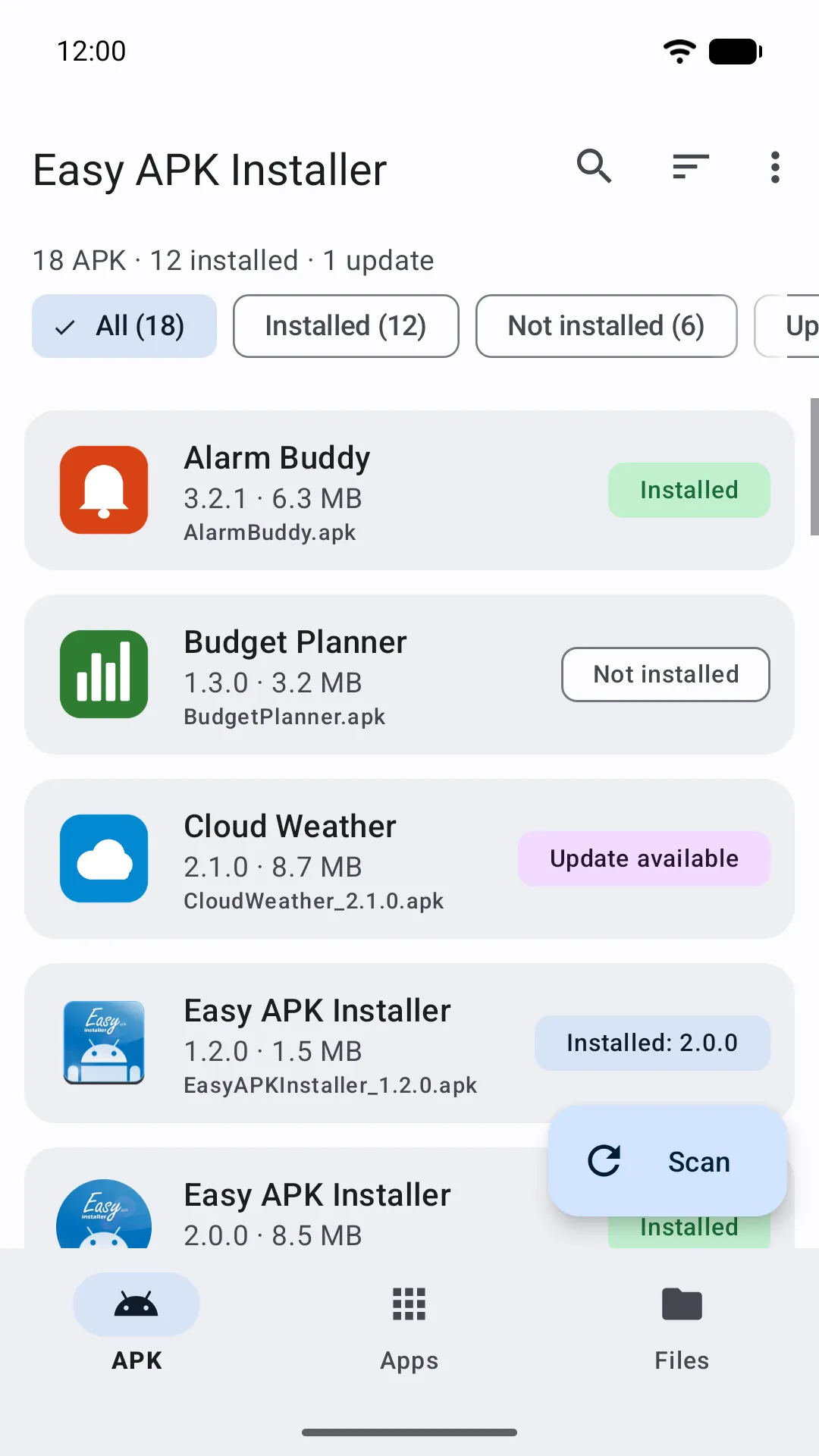
APK list with statuses
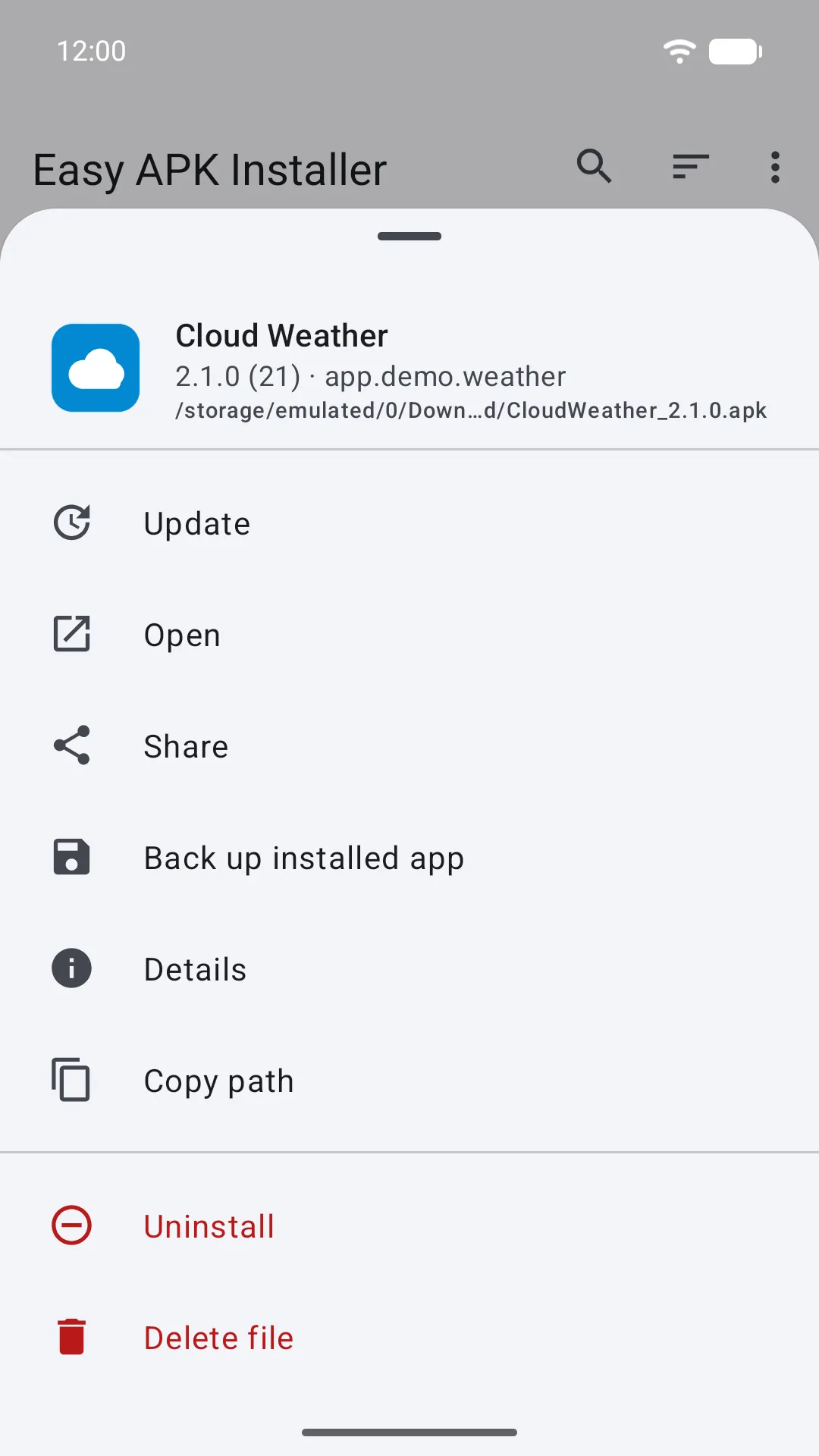
One sheet for every action
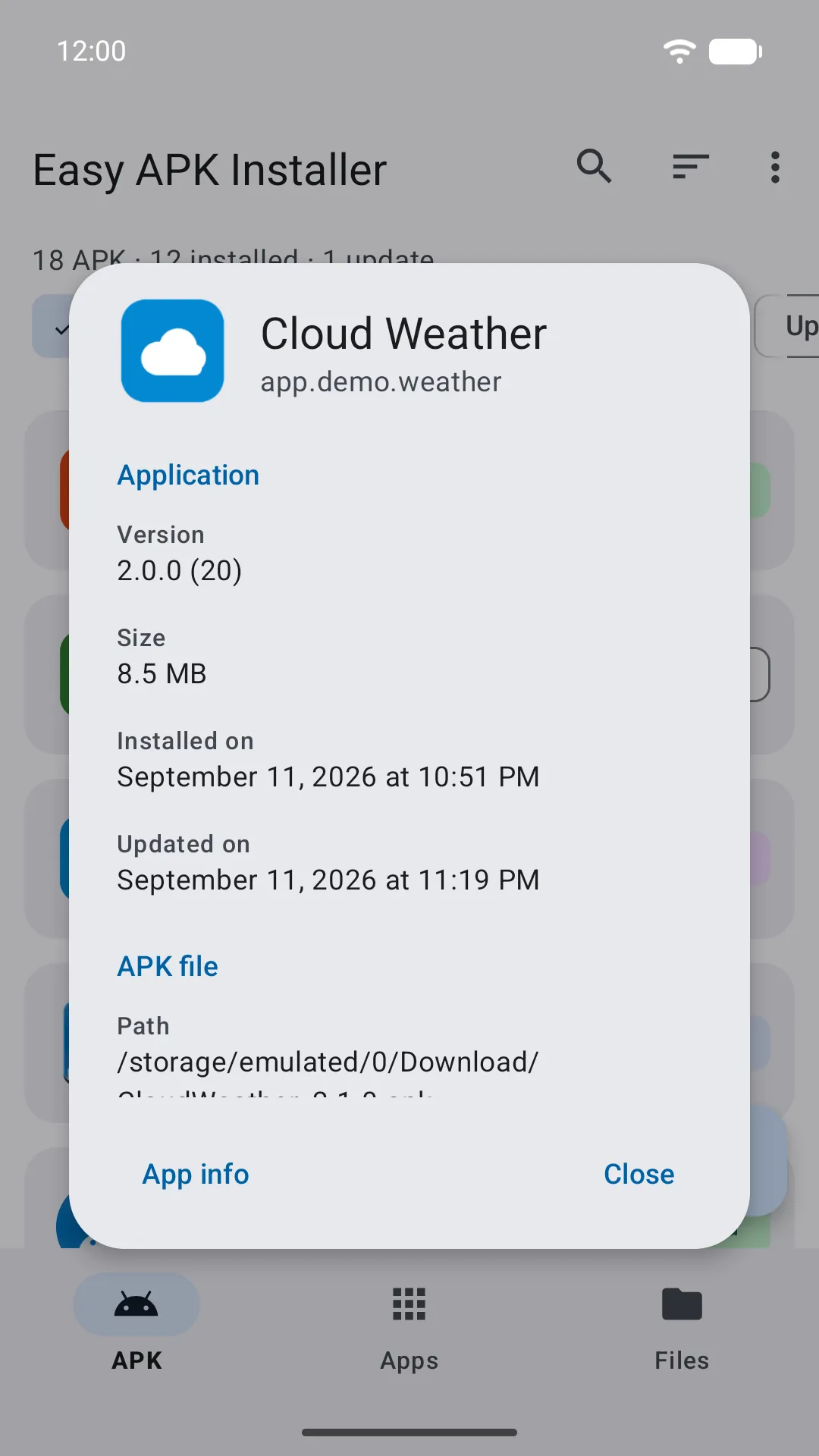
APK details
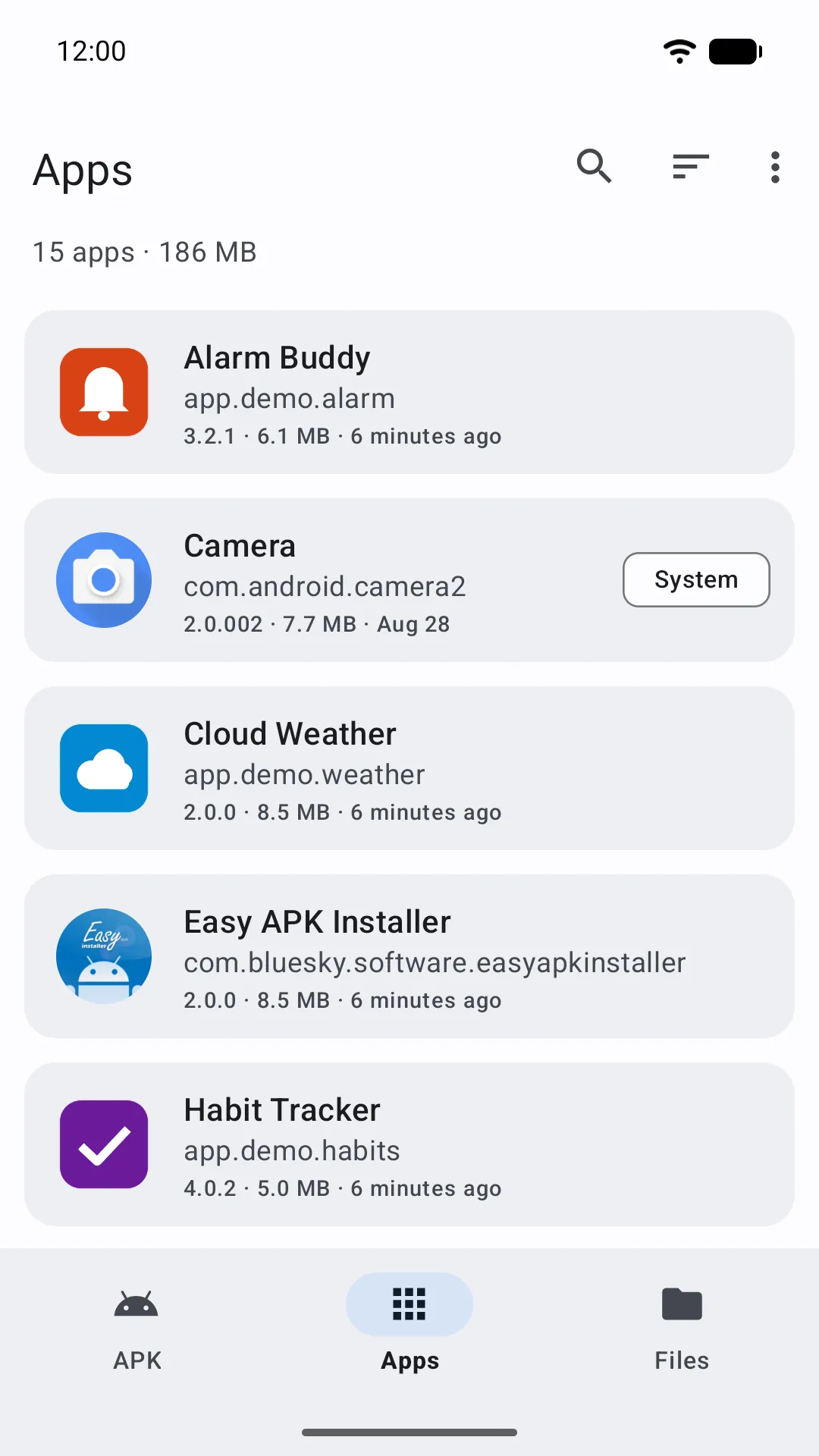
Installed apps
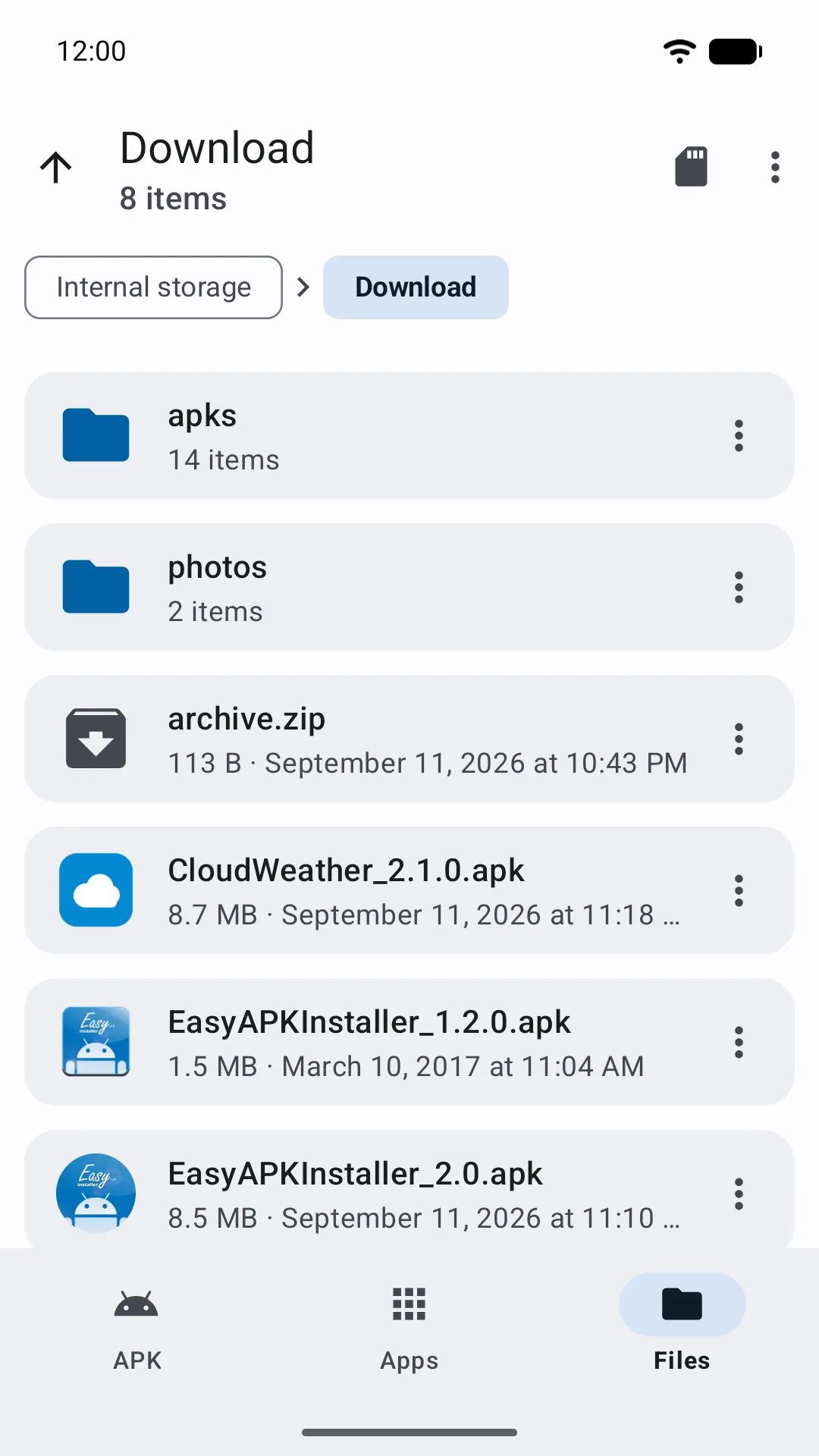
File explorer
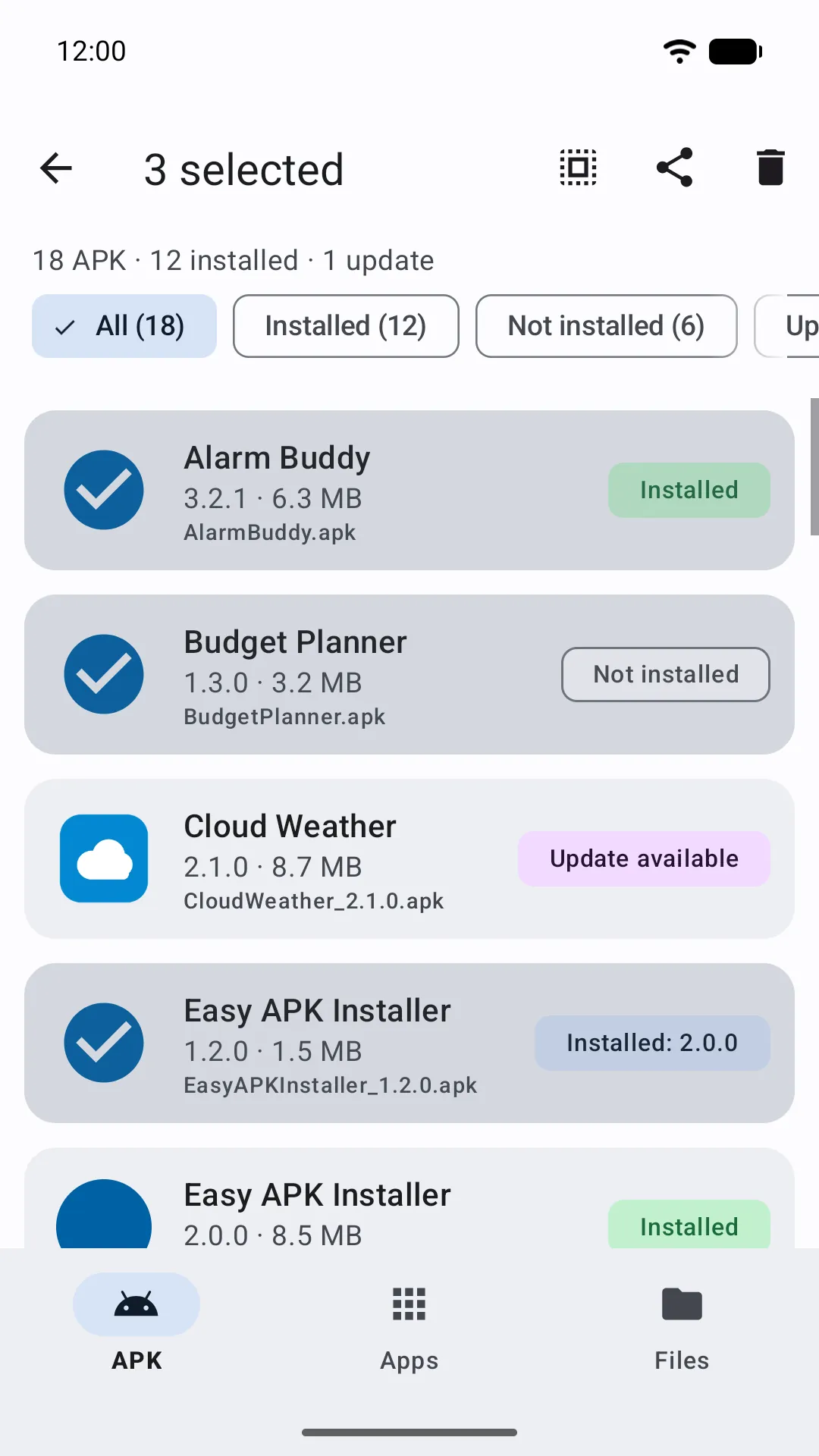
Multi-select
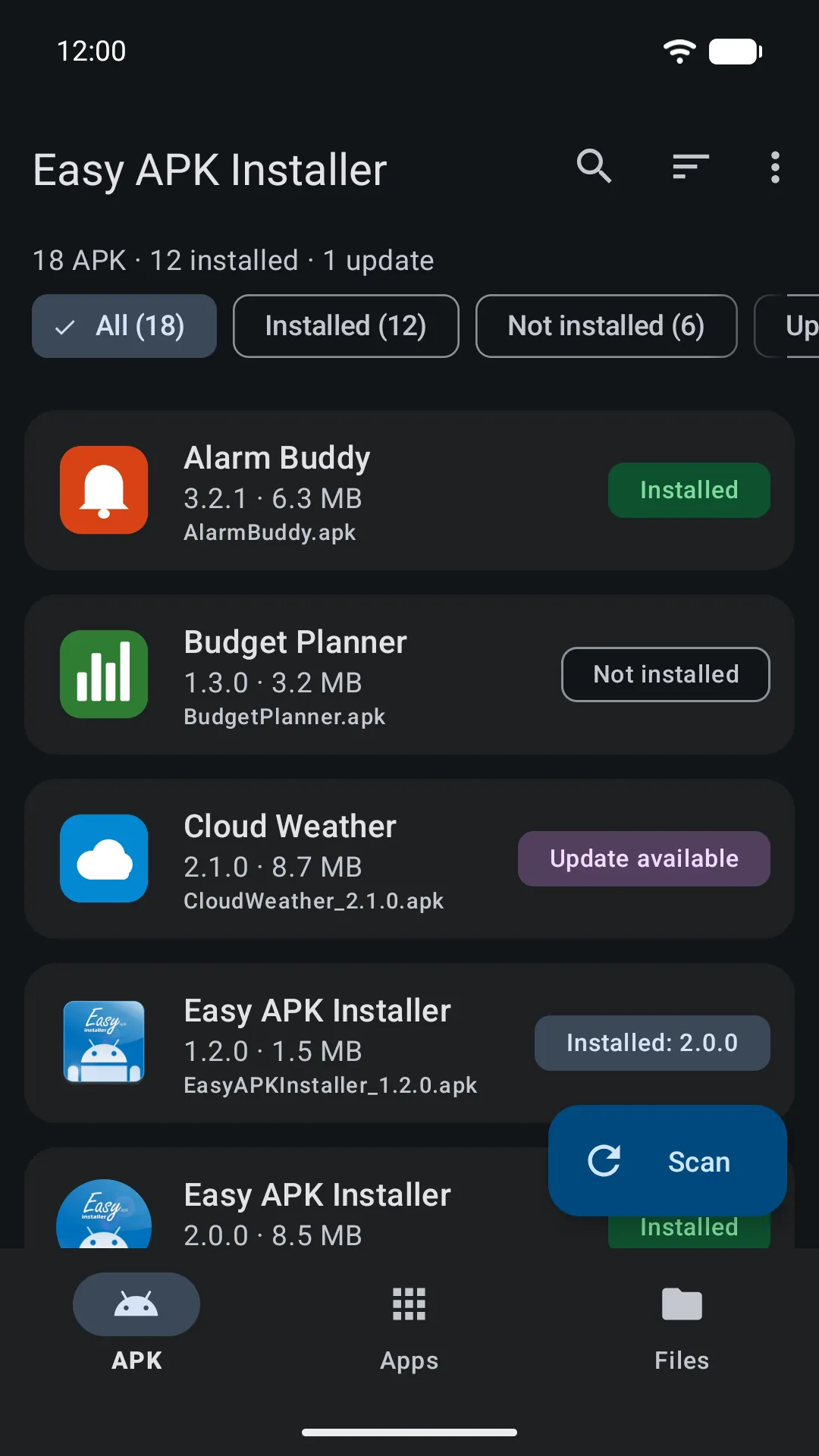
Dark theme
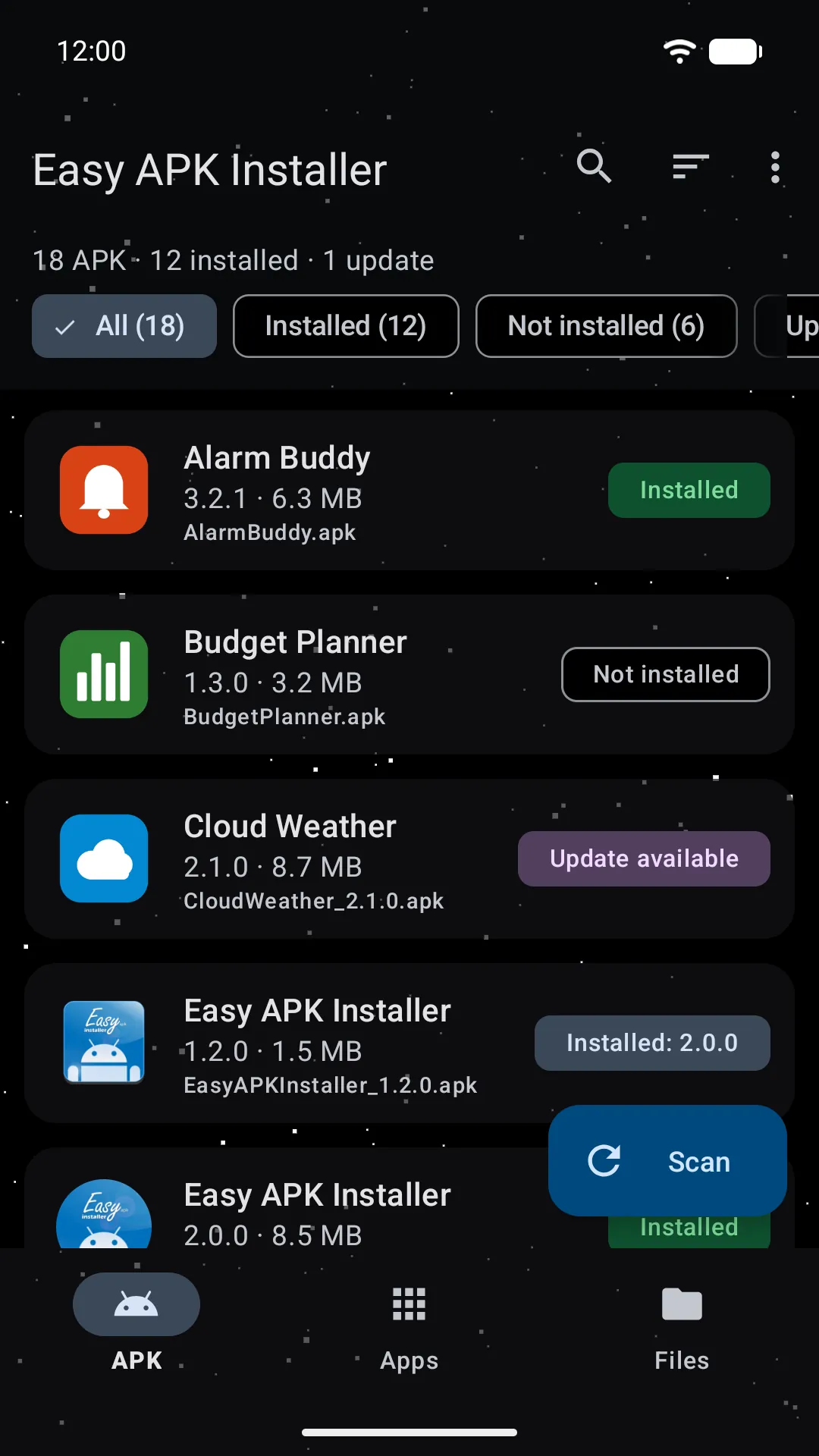
Starfield theme
Themes
System, light or dark, plus Starfield: a pure-black theme with animated stars behind translucent cards. On Android 12 and later, dynamic colours borrow the tones of your wallpaper.
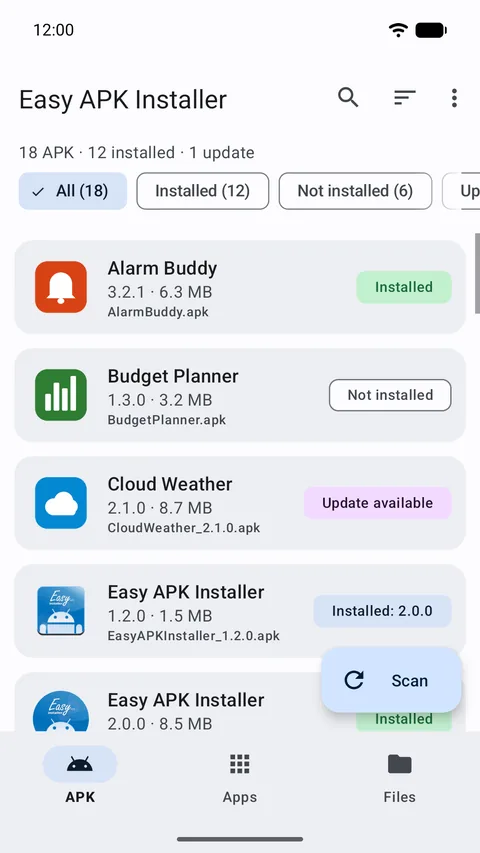
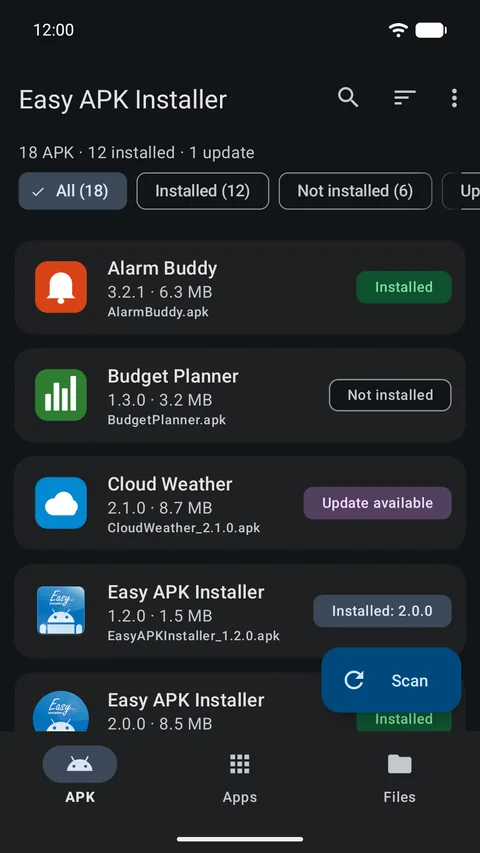
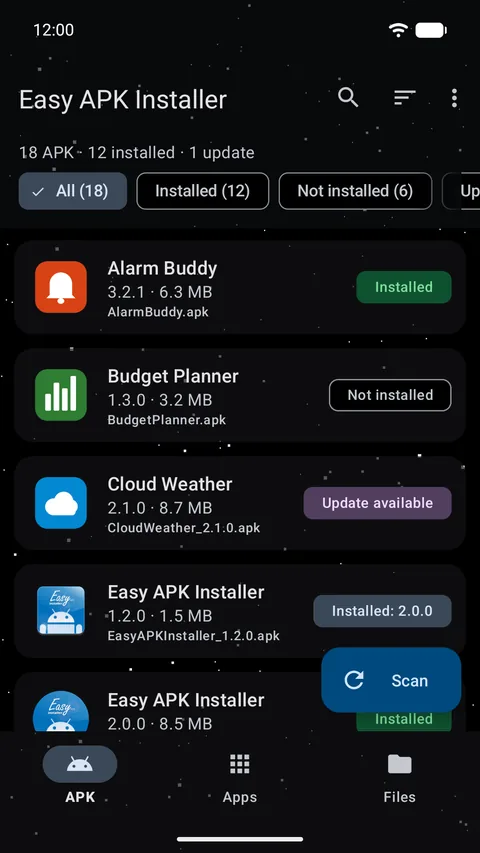
Dynamic colours (Material You) can be switched off in the settings, and are not applied to the Starfield theme, which stays black on purpose.
Tablets and landscape
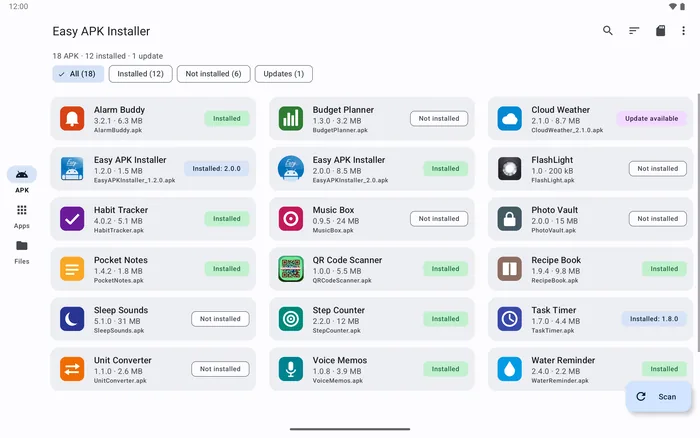
On screens 600 dp and wider, the bottom bar becomes a navigation rail and the lists spread across several columns, so a 10-inch tablet shows three times as many APK files at once.
Rotate freely: the layout adapts without reloading and, edge to edge, keeps clear of notches and gesture bars.
Questions
Since Android 11, the standard storage permissions only cover photos, videos and audio. An APK is none of those, so “All files access” is the only way to look for .apk files in every folder. Easy APK Installer uses it to find, read and install APK files and to power its file explorer and backups; nothing is ever uploaded anywhere. If you revoke it later, the list you already scanned stays visible from its cache, but the files can’t be read or installed until you grant it again.
Android requires this permission from any app that installs packages from outside Google Play. Even with it, every installation is confirmed by Android’s own dialog: you always see what is being installed and can cancel.
Yes. There is no account, no subscription and nothing to unlock. The app shows a small ad banner served by Google, which is what keeps it free.
Android 7.0 (Nougat) and later, on phones and tablets. The app follows Material 3 and supports the latest Android features: dynamic colours, themed icons and predictive back.
Yes. Every mounted storage volume is scanned, and you can restrict the list to the internal storage or the SD card from the Storage menu.
In the backups/apps folder at the root of your internal storage, as AppName_version.apk. The path is shown in the settings, and the file appears in the APK list after the next scan (tap Scan or pull the list down). Only the base APK is saved: apps that Google Play delivers as split APKs may not reinstall from it.
Yes. Choose Easy APK Installer when Android asks which app to open the file with. The action sheet opens directly with Install, Details, Share and the other actions.
Easy APK Installer has no server and no account: your files and your list of apps never leave your device. The only network use is the ad banner, served by Google. In the EEA, the UK and Switzerland a consent form lets you accept or decline personalised ads on first launch, and you can change your choice from the settings. Full details in the Privacy policy.
Easy APK Installer is free, lightweight and works without an account. Download it from Google Play and let it find your files for you.